Custom product personalization
Let your customers make it personal.
EZad designs and develops personalization solutions tailored to your products, brand identity and customer journey. The editable elements, available choices and file preparation are defined for your project.
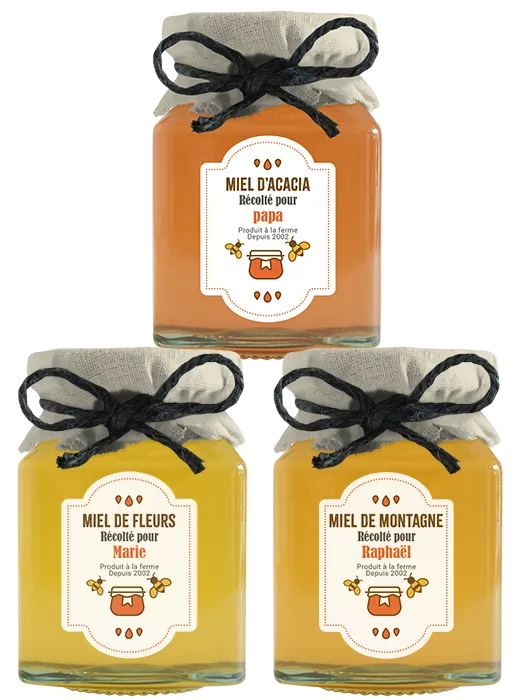
Tailored to you
A personalization journey designed for your project.
Your solution is built around the products involved, the elements your customers can personalize and the way your business operates. The interface, design choices and templates are defined for your brand.
Project example · L’OCCITANE Japan
The MY SHEA project: personalized labels for products to give as gifts.
For L’OCCITANE Japan, EZad developed a configurator and integrated it into the e-commerce website, allowing customers to personalize the labels of the products they want to give as gifts. EZad also created the label templates and prepared the print files.
A real example from L’OCCITANE’s Japanese website. The interface shown is in Japanese.
View the MY SHEA project on L’OCCITANE Japan’s website (opens in a new tab)MY SHEA project · From order to print
For this project, online personalization connects to in-store printing.
Once an order is placed on L’OCCITANE Japan’s website, the store finds it in its dedicated portal on the EZad customer platform and prints the labels there.
On the e-commerce website
The customer personalizes
They design their labels with the options offered, then place their order.
In the dedicated EZad portal
The store receives the order
The order appears in the store’s portal.
In store
The store prints
Staff print the labels from the files prepared for printing.
EZad’s work · MY SHEA project
From the configurator to print templates.
These four areas describe EZad’s work on the MY SHEA project presented above.
Four areas of work
- Configurator
- Development of the interface where customers design their labels.
- Website integration
- Integration of the configurator into the e-commerce website, within the purchase journey.
- Label templates
- Creation of the templates that receive each customer’s choices.
- Print files and store portal
- Preparation of the print files and a store portal for finding orders and printing labels.
The scope of your solution and its workflow are defined for your project.
Frequently asked questions
Product personalization: your questions.
Have other questions? Contact our team →
What can customers personalize?
The editable elements are defined for your products and your project. In the project for L’OCCITANE Japan, customers choose the colors and text on their labels.
Are the choices and customer journey the same for every project?
No. EZad works with you to define the interface, the options offered and the templates that suit your brand and how your business operates.
What does EZad do?
EZad designs and develops the solution within the scope of each project. For L’OCCITANE Japan, its work covered the configurator, its integration into the e-commerce website, the label templates, the preparation of print files and the store portal where orders are received and labels are printed.
How does personalization connect to printing?
The workflow is defined around how each project is organized. In the project for L’OCCITANE Japan, the store finds orders in its dedicated portal on the EZad customer platform and prints the labels from there.
How can we prepare a personalization project?
Tell us about the products involved, the choices you want to offer your customers, your ordering process and how printing is organized. This information helps define the scope of the solution.
Your project
Let’s talk about your products and personalization.
Tell us about your products, the choices you want to offer your customers and how your business operates. Together, we’ll explore a personalization solution suited to your project.