
Interactive wayfinding kiosks
Help visitors find their way.
An interactive map to find a store, view its information and display directions. EZad develops a solution tailored to your site, with content you can update through a cloud-based admin interface.
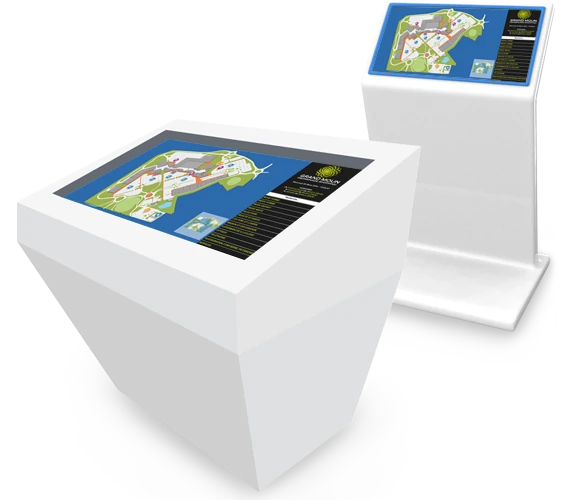
From map to store
Find a store and see how to get there.
On the touchscreen, visitors find their way on the site map and access the information they need to plan their visit.
Find a store
Visitors look up the store they want from the touchscreen.
View store information
The store’s practical information and promotion pages are displayed, along with its location on the map.
Get directions
The kiosk shows directions to the store on the map.
Content updates
Keep your information up to date through a cloud-based interface.
A cloud-based admin interface lets your teams keep the content shown on the kiosk up to date.
- Store information
- Edit the information shown to visitors, including the details of each store.
- Promotion pages
- Add promotion pages for visitors to view on the kiosk.
Custom development
A solution tailored to your site.
Each project is built around your site: its map, its stores and the information you want to present to visitors.
In a shopping center like the one in the example, the kiosk brings together the map of the mall and its surroundings, the list of stores, their opening hours and their promotions.
This solution is developed specifically for each project. It is separate from Toucan®, EZad’s software for creating posters and screen content.
Support from mapping to launch
- Hardware and installation
- EZad supplies the hardware and installs the solution on your site.
- Mapping
- EZad creates the map used to guide visitors.
- Training
- Your teams are trained to use the solution and update its content.
- Support
- EZad supports you in using the solution.
What can visitors do on the kiosk?
Visitors can find their way on the site map, look for a store, view its practical information and promotion pages, then display directions to get there.
Can the kiosk display directions?
Yes. The kiosk shows directions to the selected store on the site map.
Can we update store information and promotions?
Yes. Through a cloud-based admin interface, you can edit the information shown, including store information, and add promotion pages.
Does the solution work with Toucan?
The wayfinding kiosk is a custom development, separate from Toucan®: it is not a feature of the software. Its information and promotions are updated through its own cloud-based admin interface.
What services does EZad provide for kiosks?
EZad provides the hardware, installation, mapping, training and support. Each project is defined around your site and your needs.
Your project
Let’s talk about your site and visitors.
Tell us about your site map, the information you want to make available and how visitors will use the kiosk. Together, we’ll explore a wayfinding solution suited to your project.