
In-Store Digital Signage: 7 Mistakes to Avoid
A screen needs a clear role, a useful location, readable content, and an actively managed loop. Weakness in any one of these areas can make it easy to ignore.
In-store digital signage may look modern and visible, yet store conditions quickly expose weak placement, unsuitable content, or unclear management. A poorly run screen soon becomes a bright piece of decor that customers stop noticing.
Many retail brands invest in screens to capture more attention at the point of sale. Screen size and animation quality matter, but message clarity, placement, broadcast pace, and the workflow between headquarters and stores matter just as much.
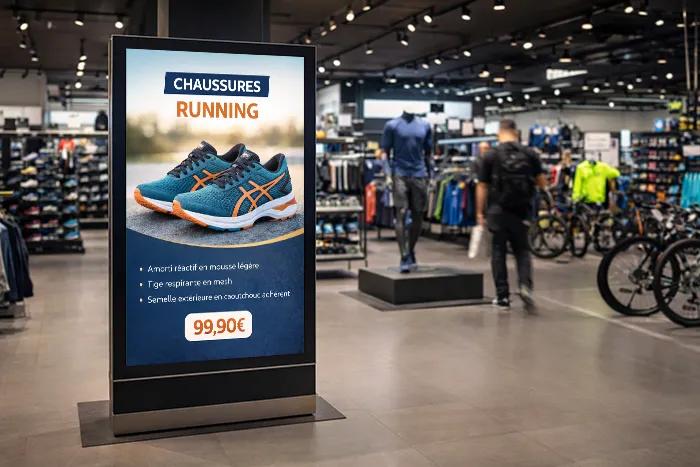
A digital signage setup does not always lack impact because it lacks technology. It often lacks a clear role, content hierarchy, and a simple operational logic that can be maintained over time.
Field diagnosis
Why some screens become invisible in stores
In a store, a screen is rarely viewed in ideal conditions. The customer may be walking, comparing products, waiting at checkout, or looking for an aisle. Most will not stop to read a complete message.
This is where many setups lose effectiveness. They are designed like traditional communication materials, when they should be designed as touchpoints placed within a real customer journey.
What the screen should do
Attract attention, make information easier to read, support an offer, guide the customer, or highlight a service at the right time.
What happens too often
The loop displays too many messages, visuals are hard to read, content becomes outdated, and no one really knows who should adjust what.
Seven mistakes that weaken in-store digital signage
Launching a screen without giving it a clear role
This is the starting mistake. The screen is installed because there is an available wall, because the store needs to look more modern, or because a competitor is already doing it. But no one really defines its mission.
As a result, it becomes a catch-all medium. It displays a bit of promotion, a bit of brand content, a bit of practical information, and sometimes an institutional video, with no clear priority.
Assign a main mission to each screen: attract, guide, sell, inform, reassure, or make waiting time feel shorter. A screen can support several uses, but it still needs one dominant priority.
Treating placement as a simple technical constraint
A screen can be perfectly installed from a technical standpoint and still be poorly placed from the customer's point of view. If it is too high, too far away, in a blind spot, facing backlight, or in an area where customers move too quickly, it loses much of its value.
Placement should reflect the customer journey as well as the technical floor plan.
Observe the area in real conditions. From what distance can the customer see the screen? How many seconds can they look at it? Are they moving, waiting, or making a choice?
Reusing printed posters without adapting them for screens
A printed poster and screen content do not follow the same rules. A poster can sometimes contain more detail because the customer can stop and reread it. On a screen, the message has to be understood much faster.
When a print asset is reused as-is, the text is often too small, the visual hierarchy gets lost, and the offer does not stand out enough.
Simplify the message, enlarge the key elements, reduce the amount of text, and build the content as a short sequence instead of reusing a static poster.
Overloading the broadcast loop
The more teams are involved, the stronger the temptation to add content: a national promotion, a local offer, a service message, a brand video, store network news, a seasonal campaign.
Variety is not the issue. Dilution is. If the loop is too long or too dense, each message has less chance of being seen and remembered.
Define one priority by period and by area. Not every message deserves the same amount of screen time.
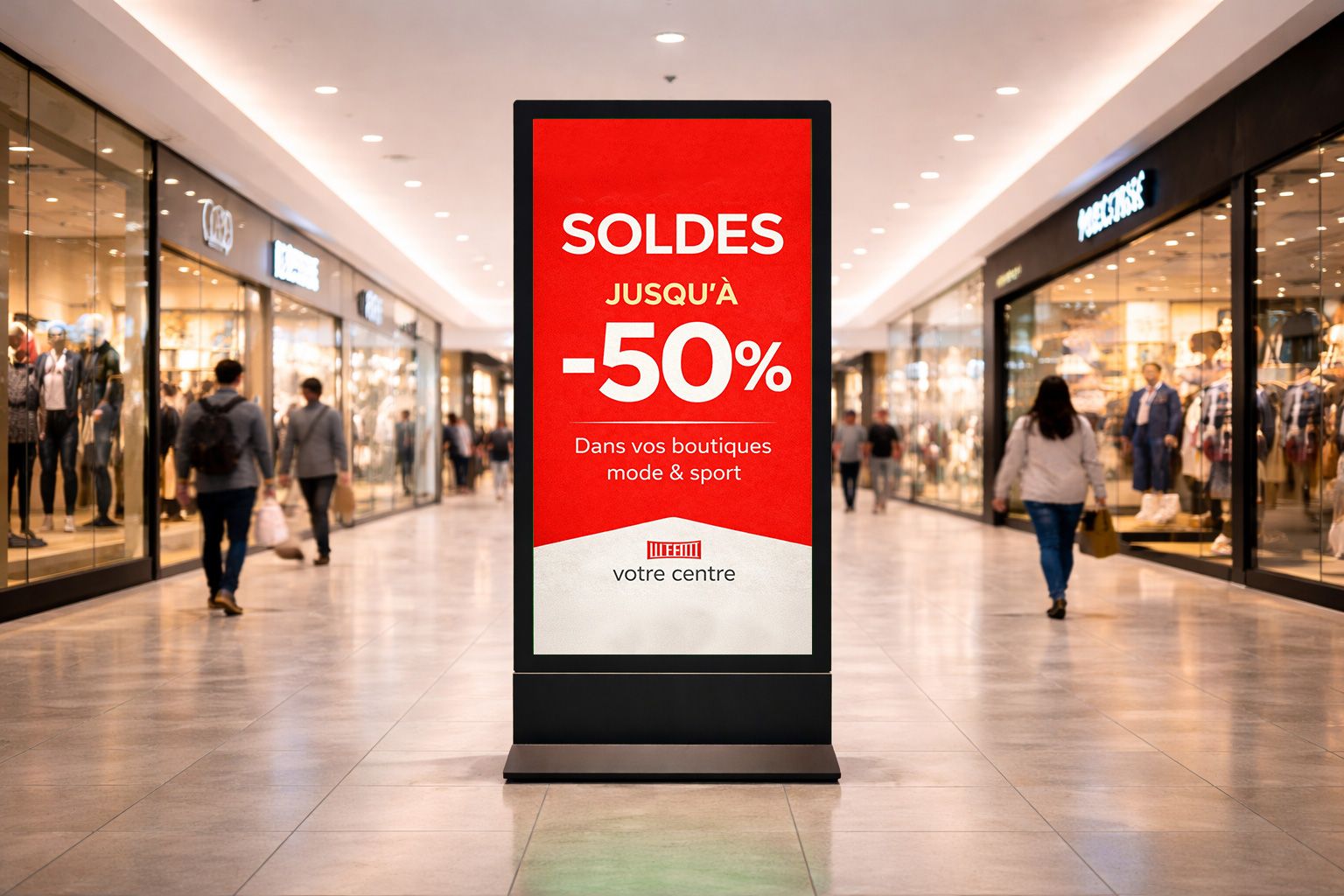
Forgetting the store's local context
The same campaign can be relevant across the whole network, but not have the same priority everywhere. Store size, local seasonality, stock, customer profile, field operations: context changes how the message should live.
Overly centralized digital signage can lack flexibility, while unrestricted local control can weaken brand consistency.
Keep a shared framework while allowing defined local changes to store messages, dates, highlighted products, or commercial priorities.
Letting content become outdated
A screen that displays an old campaign, an expired date, or a promotion that has already ended quickly loses credibility. Customers can see it, and it is frustrating for store teams, who know the medium is no longer up to date.
Animation alone does not keep a screen useful. Its content must stay accurate, current, and aligned with the commercial calendar.
Give each piece of content a broadcast period, an end date, and an identified owner for updates.
Managing screens without a clear organization
The lack of impact sometimes comes less from the visuals than from the organization. Who creates? Who approves? Who schedules? Who adapts? Who checks the screens once content is live?
If these roles are not defined, digital signage quickly becomes difficult to maintain. Content circulates poorly, requests pile up, and stores do not always know what they should report back.
Use approved templates, clear permissions, a shared calendar, and defined room for store-level action.
Taking back control
How to improve an existing digital signage setup
It is not always necessary to start from scratch. Before changing screens or producing a new series of content, the most useful step is often to put more structure into the method.
- Clarify the role of each screen. A storefront screen does not serve the same goal as an aisle screen or checkout screen.
- Reduce the number of simultaneous messages. A shorter, better-prioritized loop is often more effective.
- Adapt formats for reading while moving. Less text, greater readability, one strong idea per sequence.
- Plan broadcast dates. Every campaign should have a start date, an end date, and an identified owner.
- Allow some local adaptation. Headquarters keeps consistency, while stores gain relevance on the ground.
What Toucan® brings in this context
When screens multiply, campaigns follow one another, and needs vary from one point of sale to another, the challenge is no longer just about design. It becomes mainly organizational.
Toucan® helps retail brands structure this organization: create visuals from interactive catalogs or product data, use controlled templates, prepare consistent content, and broadcast playlists on in-store screens.
Create
Produce screen materials and content that stay consistent with commercial campaigns and available data.
Control
Rely on templates and a structured organization that help avoid visual drift or uncontrolled messages.
Broadcast
Organize playlists to keep screens active based on periods, areas, and store needs.
Headquarters can protect network consistency while giving stores defined ways to relay messages that are genuinely useful locally.
Useful screens are managed screens
In-store digital signage can become a real point-of-sale communication lever, but only if it is treated as a managed setup. The screen is not the strategy. It is the visible medium for an organization, a calendar, and an editorial choice.
Strong results come from choosing what to say, where to display it, when to schedule it, and how simple the message needs to be. Adding more content usually weakens those choices.
Make better use of your in-store screens
Toucan® helps retail brands create, organize, and broadcast their in-store content, from printed signage to screen playlists. A more reliable way to keep communication consistent, readable, and truly usable across the entire store network.
Explore Toucan®Frequently asked questions about in-store digital signage
A screen often lacks impact when it has no clear role, is poorly placed, displays overloaded content, or is not supported by a well-managed broadcast loop.
Not as-is. Screen content needs to be more direct, more readable, and designed for quick reading, often while customers are moving.
You need to prioritize messages, limit the number of pieces of content displayed at the same time, and adapt the loop to the store area and the customer's real attention span.
Placement determines reading distance, attention span, and customer context. Effective content can become invisible if it is displayed in the wrong location.
Toucan® lets teams create visuals, organize content, and broadcast playlists on in-store screens, with a logic adapted to store networks.