
How to Align In-Store Communication Across a Retail Network
Headquarters sets the framework. Stores make the campaign work in real conditions, with local inventory, formats, deadlines, and customer needs.
Good network communication gives every store a reliable campaign kit and enough room to handle local conditions. Teams should know which elements are fixed, which ones can change, and where to find the latest approved files.
In a store network, messages move fast: commercial campaigns, local offers, national key moments, practical information, services, price signage, screen content, POS materials, aisle instructions. Without a shared organization, each store may end up interpreting the campaign in its own way. Sometimes with common sense. Sometimes with gaps that weaken the brand.
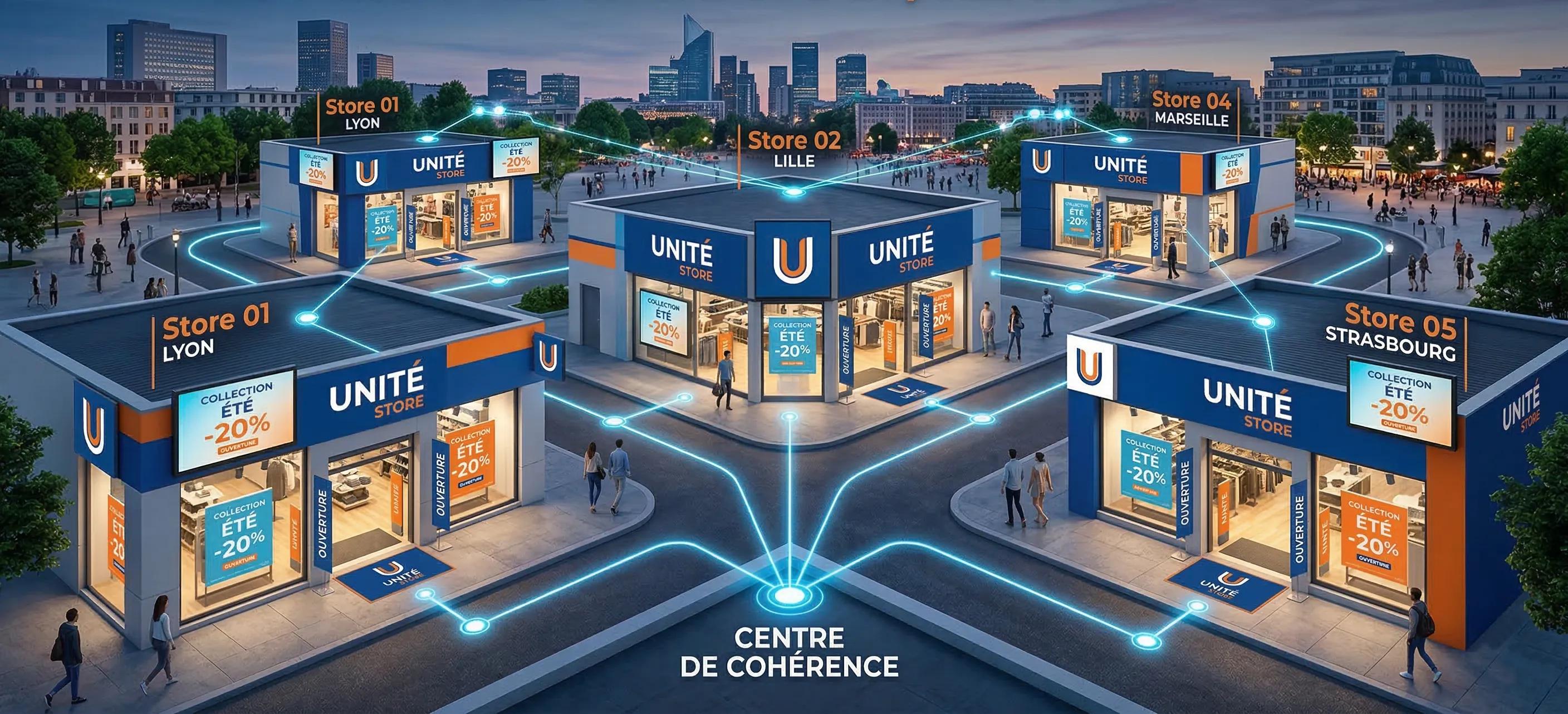
A shared campaign framework keeps the network consistent while leaving room for approved local changes.
Why messages become scattered between headquarters and stores
Gaps between headquarters and stores rarely come from a lack of willingness. They often come from a mismatch between the campaign as it was planned, the materials available, execution deadlines, and the daily reality of stores.
A material arrives too late. A poster does not quite fit the aisle. A national offer does not match local inventory. A screen is still showing the previous message. A team quickly recreates a visual to handle an urgent need. At store level, this may seem minor. Across a network, these small adjustments can make communication less readable.
Headquarters prepares a consistent campaign, but stores adapt with the resources they have: old files, approximate formats, shortened messages, recreated visuals, or materials displayed in the wrong location.
A shared framework in which each store knows which messages to use, which elements can be edited, which materials are approved, and how to adapt locally without moving outside the brand guidelines.
Where consistency should stop
This is one of the classic traps. In a store network, trying to make everything uniform may reassure headquarters, but it can block the field. Conversely, letting each store create its own messages freely may bring agility, but it also creates uneven communication.
The right balance is to distinguish what must remain shared and what can be adapted. The brand message, information hierarchy, graphic guidelines, required legal wording, and key formats must be controlled. Local prices, available products, opening hours, aisle specifics, or store events may need to be adapted.
Aligned in-store communication relies on two levels: a shared foundation defined by headquarters, and clearly authorized adaptation zones for stores. Without that distinction, teams move between excessive rigidity and local improvisation.
What headquarters needs to frame
Headquarters plays an essential role: giving clear direction, protecting brand consistency, and simplifying store teams’ work. The more explicit the framework, the less field teams need to interpret instructions on their own.
What should remain adaptable at store level
A store is not just an execution zone. It has its own constraints: inventory, surface area, customer profile, aisle layout, local events, team organization, and different levels of autonomy. Communication that is too locked down can therefore become difficult to apply properly.
Stores need room to maneuver, but that room must be planned. A useful local adaptation is not an improvised edit: it is a controlled variation.
Useful adaptations
Local price, store name, opening hours, available product, aisle message, poster format, broadcast location, display duration, or choosing one visual from several approved variants.
Risky adaptations
Freely changing the logo, changing colors, adding unapproved messages, removing important wording, recreating visuals outside the guidelines, or displaying a promotion that is not consistent with the campaign.
The most frequent friction points in store networks
When in-store communication lacks alignment, the problem rarely comes from just one material. It usually comes from a series of small breaks in the chain: brief, creation, approval, distribution, installation, update, and removal.
Materials scattered across too many channels
Files circulate by email, internal messaging, shared folders, or old campaigns, so stores cannot always identify the current version. Keep approved materials in one clearly labeled location and archive expired assets.
Instructions that are too general
A campaign can be well designed and still be poorly executed when placement, duration, format, and priorities are unclear. Add short rollout instructions directly to the campaign kit.
Local autonomy that is poorly framed
Stores need to adapt, but vague rules turn each change into a graphic or editorial interpretation. Editable templates should keep brand elements locked and make the permitted fields obvious.
A workable process for headquarters and stores
The process should make the correct file easy to find and the next action obvious. A store manager should be able to understand the material, adapt the approved fields when needed, and install it without rebuilding the campaign.
Define the role of each message
A message can guide, promote, inform, reassure, or build brand value. Clarifying this role avoids putting everything on the same material and helps stores understand the priority.
Create templates by use case
A price poster, a screen visual, an aisle POS material, or service information should not have the same structure. Templates should match the real use cases stores face.
Frame editable zones
Stores need to know what they can change: price, product, date, aisle, local message. The rest should stay stable to preserve brand consistency.
Centralize approved versions
Keep the current files in one clearly identified location. This reduces outdated versions, duplicates, recreated visuals, and gaps between stores.
Plan for field feedback
Stores often spot very quickly what works or does not: readability, location, installation workload, customer understanding. Headquarters benefits from integrating this feedback into future campaigns.
Store-level example: a national commercial campaign
Imagine a national campaign launched across a store network. Headquarters defines the promise, visuals, hero products, and calendar. But in the field, not every store has the same floor space, inventory, screens, or display areas.
What enables more consistent execution
Headquarters provides a clear kit: main poster, aisle posters, screen visuals, product variants, short messages, placement instructions, and broadcast dates. Stores can adapt certain prices or products, but without changing the graphic structure or the central message.
The campaign stays recognizable across the network and remains usable in stores with different layouts, equipment, and inventory.
The role of print and digital materials in alignment
The medium shapes the message. A printed poster, screen, POS material, or aisle sign carries a different amount of information and serves a different moment in the customer journey. One master file cannot simply be resized for every placement.
A screen can relay a short, dynamic message that is visible in a waiting area or at the entrance. A printed poster can carry price information or a local offer in an aisle. POS materials can make a campaign tangible close to the product. Alignment means assigning each material a clear role.
Send the campaign kit to someone who did not attend the briefing. If they cannot tell what to display, where, when, and which fields may be edited, the rollout instructions need another pass.
What Toucan® can bring to network alignment
To align messages between headquarters and stores, the main challenge is organizing materials. Teams need to create reliable templates, manage product data, enable certain local adaptations, and distribute consistent content across print and screens.
Toucan® is built precisely around this logic. The software enables teams to create posters from interactive catalogs or product databases, design visuals through an integrated creation module, and broadcast playlists on in-store screens.
- Headquarters can frame templates, formats, messages, and brand elements.
- Stores can produce operational materials without starting from a blank page.
- Product data can feed posters that are more reliable and faster to create.
- Print and digital content can be coordinated around the same campaign.
- Local adaptations remain possible, but within a more controlled framework.
Long-term alignment: what makes the difference
Aligned in-store communication does not rely only on graphic guidelines or a folder of files. It relies on a shared working method between headquarters and stores. Headquarters needs to provide the framework, stores need to be able to act, and tools need to make that collaboration simple.
Consistency cannot simply be declared. It is built in the details: a good template, reliable product information, a readable message, a clear date, an up-to-date version, and well-defined room for adaptation. It is often this quiet rigor that turns a decent campaign into truly effective communication in the field.
Structure your messages from headquarters to stores
With Toucan®, retail brands can centralize their templates, create posters that stay consistent with their brand guidelines, and broadcast content on in-store screens, while giving stores the autonomy they need to adapt field messages.
Explore Toucan®FAQ: aligning in-store communication
Define a shared framework, centralize approved materials, create templates by use case, and specify which zones stores can adapt locally.
Uniformity imposes the same messages everywhere. Alignment ensures brand consistency while allowing useful and controlled local adaptations.
Inconsistencies often come from scattered files, vague instructions, short deadlines, outdated versions, or local adaptations that are not clearly framed.
Start with the most visible or most frequent materials: promotional posters, price materials, POS materials, screen content, service messages, and campaign kits.
Provide approved templates with limited editable zones: price, product, date, store, or local message, while locking brand elements.